Customize your test result release timing
Set your test result release timing in ARC MyChart
- Click on Test Results from your MyChart home page.
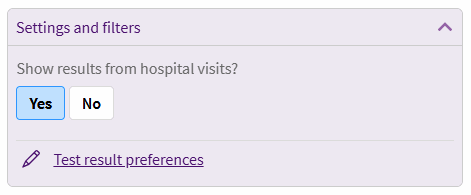
- Click Test result preferences in the settings and filters box in the top right corner.
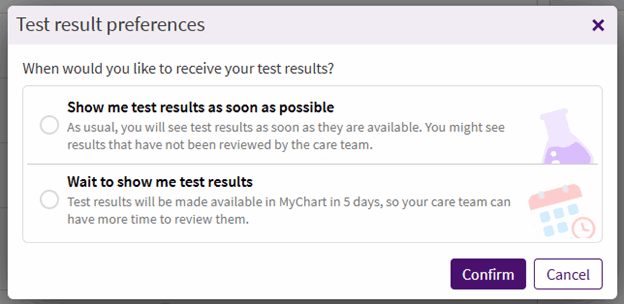
- Select the timing for releasing your results, then click Confirm. When you choose Wait to show me test results, your results will be held for five days to give your physician or advanced practice clinician (APC) more time to review them. This is not a guarantee that your care team will review them within five days; it only allows for extra time.
Please call ARC MyChart Support at 512-272-4357 (512-ARC-HELP) for assistance, Monday-Friday, 8 am-5 pm, except holidays.